10-12-2026
Designing Pebble: AI-second product design
My newest side project is Pebble, a bespoke language learning app I built for my own learning. It transcribes Chinese podcasts, adds pinyin and English on demand, and exports vocab to Anki. Building it end to end in Claude Code sharpened how I think about designing AI products, so here’s my process.
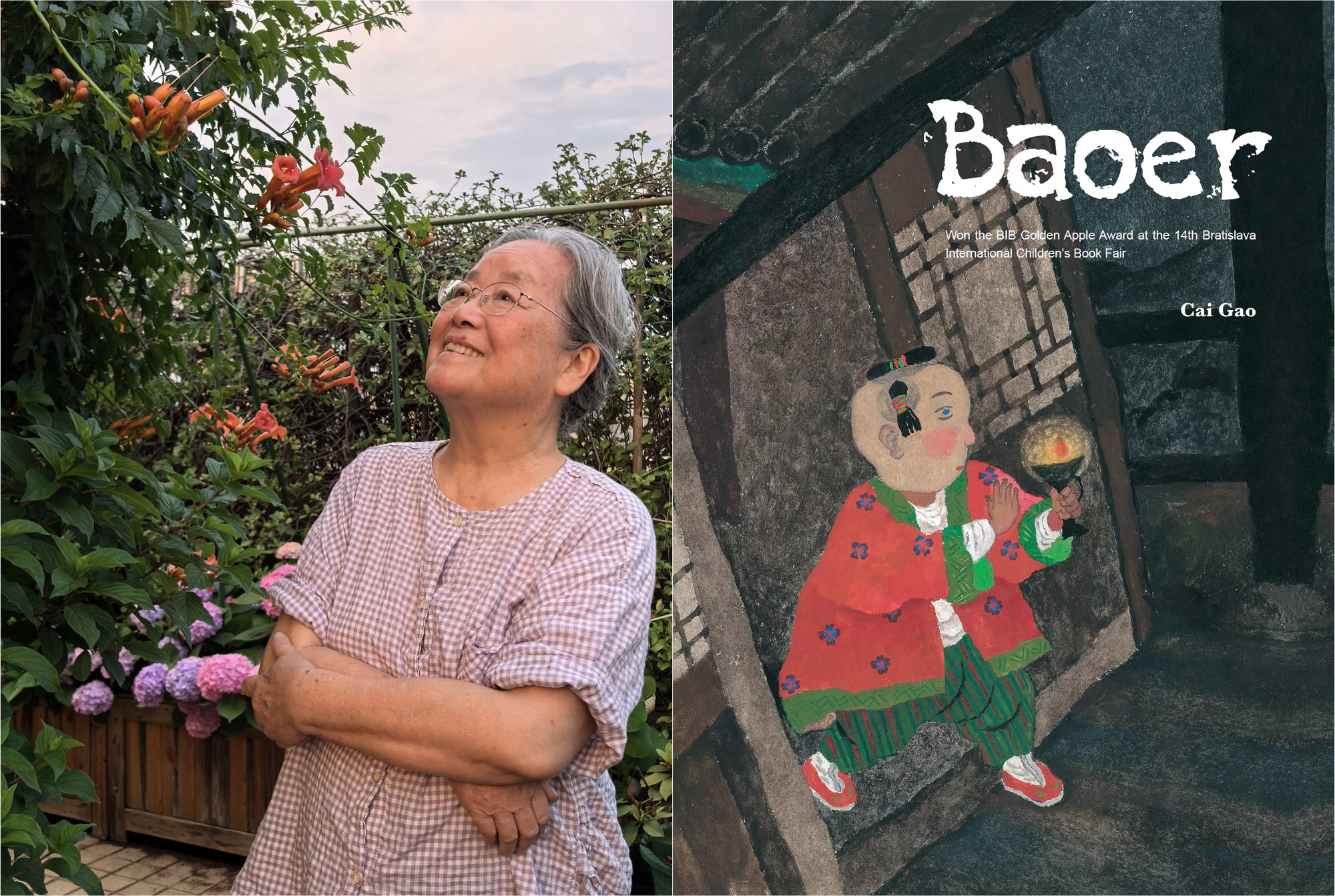
My pain point started with 小宇宙 (Xiaoyuzhou), a popular Chinese podcast app full of comedy, psychology discussions, and life advice. I wanted to listen to an interview with Cai Gao, a children's book illustrator and the first Chinese illustrator to win the Hans Christian Andersen Award (the highest honor in children's literature worldwide). But the app is built for native speakers, so following along meant screenshotting the subtitles every 30 seconds and pasting them into a translator. A very high friction experience that I wanted to solve!

AI-second, not AI-first
Pebble runs on AI, but I design it AI-second. This philosophy comes from Vitaly Friedman. Vitaly asks us to obsess over how people use AI, and add “quiet AI” only where it removes friction or speeds up success. An AI-first mentality tends to turn teams into a feature factory of sparkle buttons and chatbots.
Working from first principles, I start with the job to be done and employ design patterns people already trust. AI powers them in the backdrop of a familiar audio transcript interface, showing pinyin when you toggle it on and English on tap. With so many proven design patterns available, being a chatbot loyalist is a local maximum, not a global one.
Trust is the limiting factor. Numerous Nielsen Norman Group studies show that advertising AI features make people expect upsells, hallucinations, and credits that run out fast. That puts the burden on design. Our job is to help people reach a good result in fewer prompts, so they succeed before they hit a credit limit and the company isn’t paying for every retry.
Designing for failure modes
Hallucination is the default failure mode of AI. We can’t design it away, so I treat it as a constraint and over-index on surface area for trust. In Pebble, any line can be corrected by hand and reverted, and a line can be marked as “May need review” to be transparent about the model's limitations.
Waiting with uncertainty was the most critical failure mode I designed for. Transcribing episodes that last over an hour can take a while, and a loading spinner leaves people wondering whether anything is happening. People want to see work in motion to trust the process and catch errors early.
Designing for edge cases
My first few iterations filled the progress bar only from real-time updates. During audio processing, Pebble splits the audio into sections, and the progress bar moves forward each time a section finishes. But that broke down for non-podcast audio, like music or short-form content. A 55-second Douyin video I uploaded was a single section, so the bar sat empty for 20 seconds and jumped straight to done. This offered an underwhelming waiting experience.
In the latest iteration, the progress bar eases forward on an estimate while each section processes and holds short of the end until the work actually finishes. Real-time updates still drive the bar, but now an estimate fills the silence between updates, providing system feedback that keeps the user in the loop. I also hide the steps for audio under 4 minutes since those clips finish in seconds and only add visual clutter.
How I build with Claude Code
I built Pebble end to end in Claude Code. I wanted to start learning from podcasts as soon as possible, and an MVP that covered the core jobs to be done (a non-negotiable) would deliver value right away. The last 20%, the taste layer, could wait for later versions. My setup is the usual Claude Code playbook:
- Plan mode before big changes, so we agree on the approach before any code is written
- A CLAUDE.md that works like a product spec with guardrails, establishing what Pebble must never do, and which actions need my sign-off
- A design system in Claude Design that Claude checks for exact sizes and tokens before building UI
- Skills for repeatable work, like commits and fixing failing tests
Prompting is a refinement journey that I try to optimize. I ask Claude to interview me before it starts, so it captures my vision and doesn’t waste tokens on guesses. I also use sliders to fine-tune UI details to take control over the taste layer.
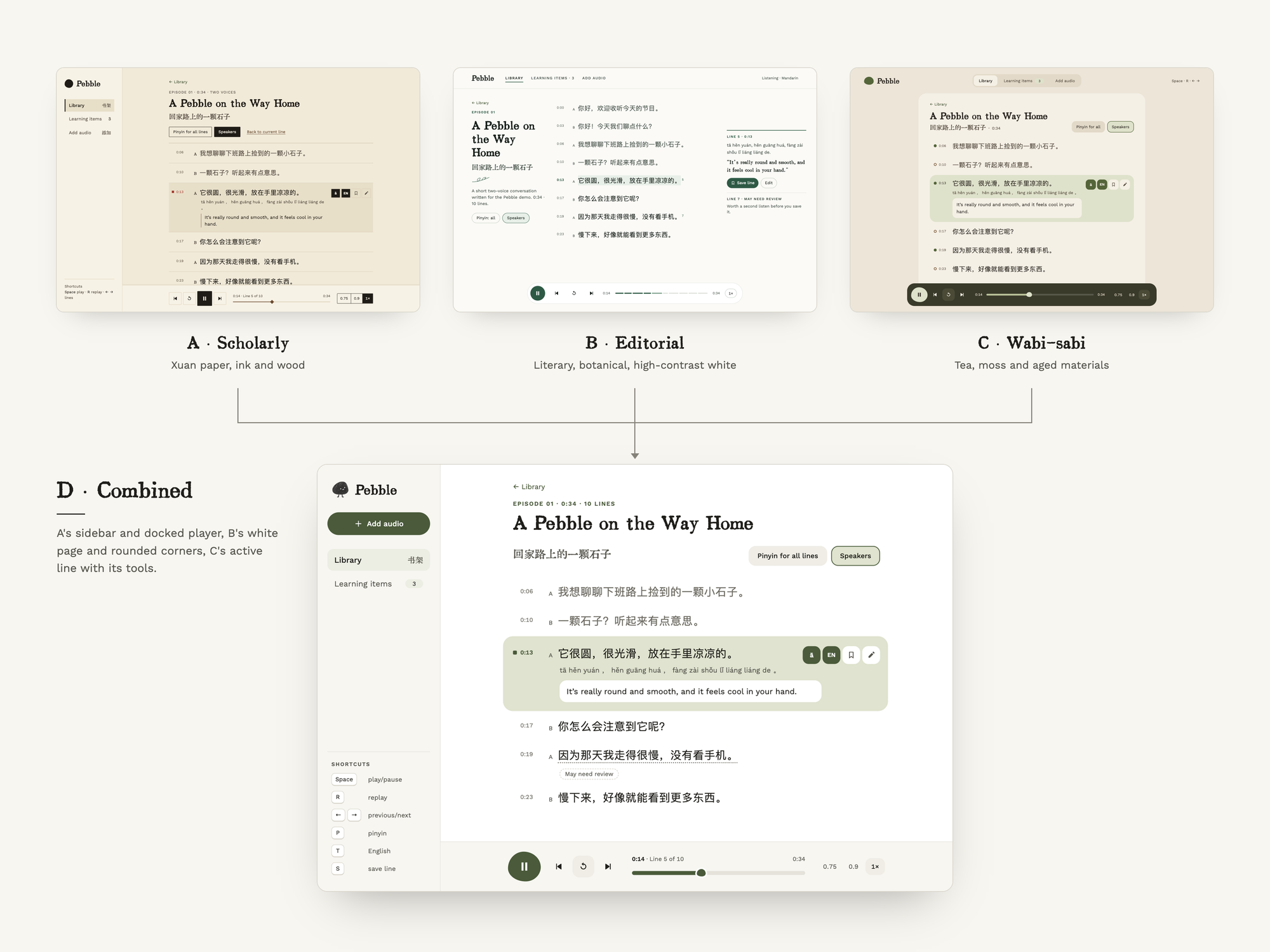
AI can’t one-shot a design and probably never will, so I ask Claude to generate three visual directions. This way I can play with the brand direction, micro-interactions, and feel before committing to one—or combining the best parts of each—to refine.
Design agents
Taste is something you cultivate a sensitivity for through tacit knowledge. How might we leverage AI tools to reflect that in our work? After reading Claire Taylor’s essay, I started keeping a taste journal in a skill file and adopted a new agent:
- Taste maker: gathers my recent saves from Substack, Instagram, and X, asks what they reveal about my taste, and turns the answers into heuristics for my design.md.
I still prefer to rely on my own knowledge of best practices and heuristics for design critiques, as well as user testing. Outsourcing that to an agent works for evaluating visual consistency across a system, but now that AI can generate design (even if it can't one-shot it), critical thinking, process, and authority is kind of the whole point of hiring a designer.
Next steps?
The live demo runs on sample episodes and Luvvoice AI voice actors, but I run a local-first version where I upload my own audio. Pebble has saved me an extraordinary amount of time. I translate and learn while listening instead of leaving the app and opening new tabs, so I stay immersed in the episode. Plus, a whole new world of perspectives has opened up to me via Chinese podcasts, which is priceless. If you’d like to use it too, let me know and I’ll build it for public use!!